Version 2.0

Smarter & Faster

Power

up

your

workflow

with

ease.

Manage tasks, finances, and growth — all in one powerful dashboard built for modern teams.

Stop

switching

tools.

Start driving

growth.

Unified dashboard displaying all key metrics, including monthly revenue chart.
Unified Analytics

Get every metric in one dashboard — no more spreadsheets or missed signals.

Unified dashboard displaying all key metrics, including monthly revenue chart.
Unified Analytics

Get every metric in one dashboard — no more spreadsheets or missed signals.

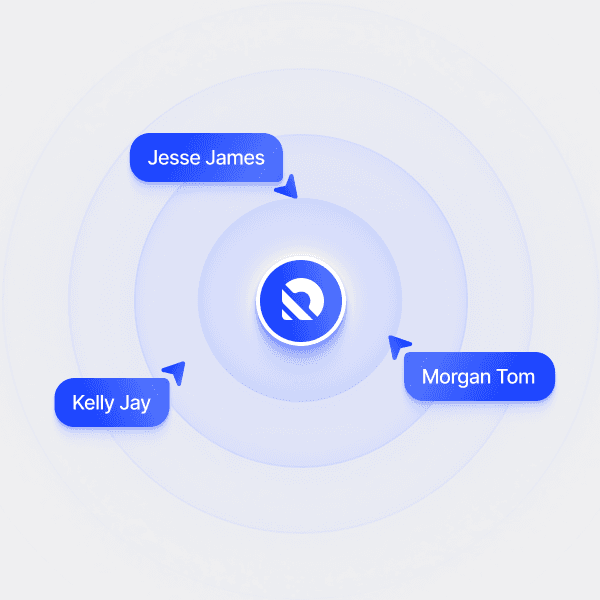
Illustration showing team members connected in real time.
Seamless Collaboration

Real-time updates keep your whole team on the same page, across every project.

Illustration showing team members connected in real time.
Seamless Collaboration

Real-time updates keep your whole team on the same page, across every project.

Interface representing automated tasks, reporting, and alerts.
Automated Processes

Cut manual work with built-in alerts, reporting, and task automation.

Interface representing automated tasks, reporting, and alerts.
Automated Processes

Cut manual work with built-in alerts, reporting, and task automation.

Productivity

All-in-one dashboard

Manage everything in one place.

Keep projects, data, and communication together in a single, organized dashboard — so decisions are faster and distractions are fewer.

Slack

Zapier

Notion

Google Sheets

Automation

Workflow efficiency

Automate tasks. Focus on growth.

Eliminate repetitive work with powerful automations, so your team can stay focused on building and scaling your product.

How it works

Turn complex workflows into simple steps.

Three simple steps to connect your data, automate tasks, and track progress.

Bar chart showing data after integration.
Step 1

Connect your data

Integrate your favorite tools and import data in minutes — no coding or heavy setup needed.

Bar chart showing data after integration.
Step 1

Connect your data

Integrate your favorite tools and import data in minutes — no coding or heavy setup needed.

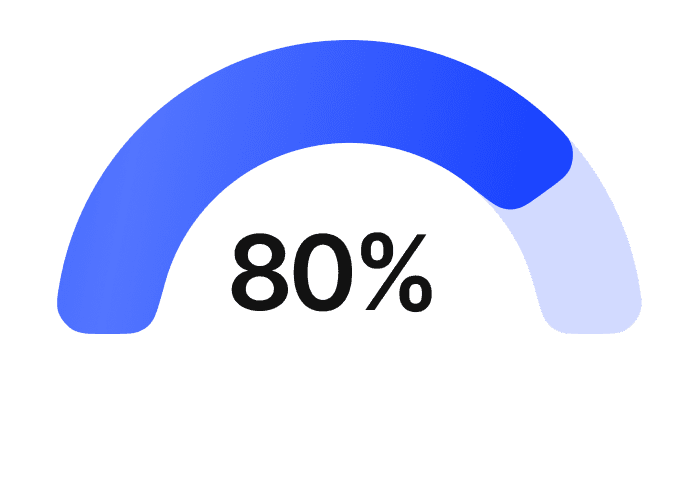
Blue semi-circle chart displaying progress percentage.
Step 2

Automate the workflow

Set up smart triggers and recurring tasks so your team can focus on what matters most.

Blue semi-circle chart displaying progress percentage.
Step 2

Automate the workflow

Set up smart triggers and recurring tasks so your team can focus on what matters most.

Blue bar chart for performance tracking.
Step 3

Track and improve

Monitor performance in real-time and optimize your workflow with clear, actionable insights.

Blue bar chart for performance tracking.
Step 3

Track and improve

Monitor performance in real-time and optimize your workflow with clear, actionable insights.

From idea to outcome, in 3 steps.

Start with a goal, add context, follow a clear plan, and move work forward.

New suggestion
Run agent
Share your goal

Tell us what you want to accomplish, whether it’s a simple task or a larger project.

Add the right context

Connect the information, tools, and people needed to understand the work.

Agent running
  • Collecting recent updates
  • Identifying completed work
  • Reviewing open decisions
  • Preparing recommended actions
  • Creating the final brief
Review and move forward

Track progress, review important decisions, and approve actions before they happen.

All-in-one dashboard for your business.

Track performance, manage data, and integrate with your favorite tools — all from a single, streamlined interface.

Scalable components

Launch faster with pre‑built elements designed to grow with your product.

Unified style system

Manage typography and colors globally to keep every page consistent.

Adaptive layouts

Assemble flexible, responsive sections that fit any SaaS workflow.

Scalable components

Launch faster with pre‑built elements designed to grow with your product.

Unified style system

Manage typography and colors globally to keep every page consistent.

Adaptive layouts

Assemble flexible, responsive sections that fit any SaaS workflow.

Scalable components

Launch faster with pre‑built elements designed to grow with your product.

Unified style system

Manage typography and colors globally to keep every page consistent.

Adaptive layouts

Assemble flexible, responsive sections that fit any SaaS workflow.

Benefits

Benefits to keep your team in sync.

Real-time Analytics

Track every metric live and make faster decisions.

Collaboration Tools

Keep your team aligned with shared dashboards.

AI-Powered Insights

Get smarter recommendations to boost performance.

Custom Integrations

Connect with your favorite tools effortlessly and quickly.

Scalable Architecture

Built to grow with your business at every stage.

24/7 Support

Help whenever you need it, day or night.

Why Arvio stands out

The better way to launch and grow.

The better way to launch and grow.

All-in-one setup, no hidden fees, and smooth customization — everything you need to launch faster.

All-in-one setup, no hidden fees, and smooth customization — everything you need to launch faster.

1-Click Setup
Fast Launch
No Extra Fees
Full Customization
Updates Included
Arvio
Others
1-Click Setup
Fast Launch
No Extra Fees
Full Customization
Updates Included
Arvio
Others
Testimonials

What our users love about Arvio.

Danielle M.
Freelance UX Designer
Hear from our users

“With Clario, I finally stopped stressing about my cash flow. I know where my money is going — and I’m actually saving.”

Danielle M.
Freelance UX Designer
Smiling female entrepreneur working on a laptop in a stylish modern office.
Hear from our users

“With Clario, I finally stopped stressing about my cash flow. I know where my money is going — and I’m actually saving.”

Danielle M.
Freelance UX Designer
Smiling female entrepreneur working on a laptop in a stylish modern office.
Hear from our users

“With Clario, I finally stopped stressing about my cash flow. I know where my money is going — and I’m actually saving.”

FAQs

Got questions?
We’ve got answers.

Here’s everything you need to know before getting started.

Still have questions?

Contact us and we’ll help you out.

Still have questions?

Contact us and we’ll help you out.

1. How quickly can I launch with Arvio?

You can set up and go live in less than a day with our 1-click setup — no complex steps required. Focus on your content, and Arvio takes care of the structure so you can launch faster.

2. Do I need any design or coding experience?

Not at all. Arvio’s drag-and-drop editor makes everything visual and easy. Even beginners can adjust layouts without writing a single line of code.

3. Can I use Arvio for multiple projects?

Yes. One license lets you create unlimited personal or client projects. Perfect for freelancers and agencies managing multiple websites.

4. Does Arvio work on all devices?

Absolutely. Arvio is fully responsive, so your site will look and perform seamlessly on desktop, tablet, and mobile.

5. What’s included with my purchase?

You’ll get the full template — all sections, pages, and features ready to use. Free lifetime updates ensure your site stays fresh and up to date.